
Run your entire repair shop from your phone
The Edaraat app brings device intake, technician assignment, repair tracking, parts and expenses, and profit reporting into one place — and your customer follows their own device with the QR code on the intake receipt.
Using an iPhone? Tell me when it is ready
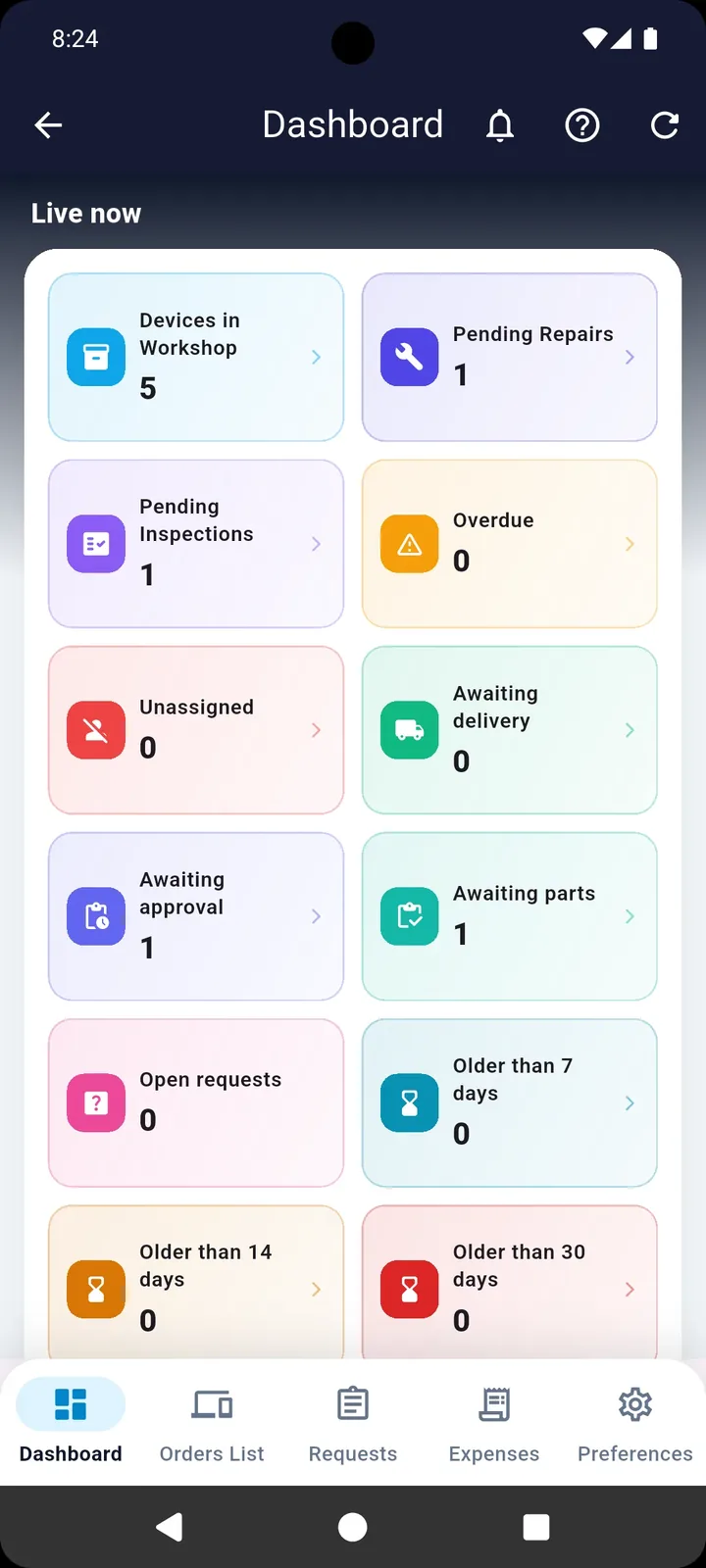
Everything a repair shop needs, on one screen
The app is built around what actually happens in a workshop: a device comes in, a technician picks it up, a part gets ordered, a customer waits, and money moves in and out.
A live dashboard
Live counters for the workshop: devices in the shop, awaiting repair, inspection, parts, approval or delivery. Tap any card to jump straight to the devices behind it.
The full device lifecycle
Intake, assignment, repair, inspection, delivery and returns. Every action is logged with its timestamp, the technician behind it, the note and the cost.
Technician requests and approvals
A technician requests a price change or a spare part, the request lands with you, and you approve or reject it with one tap — no phone calls, no lost messages.
Accounting and profit
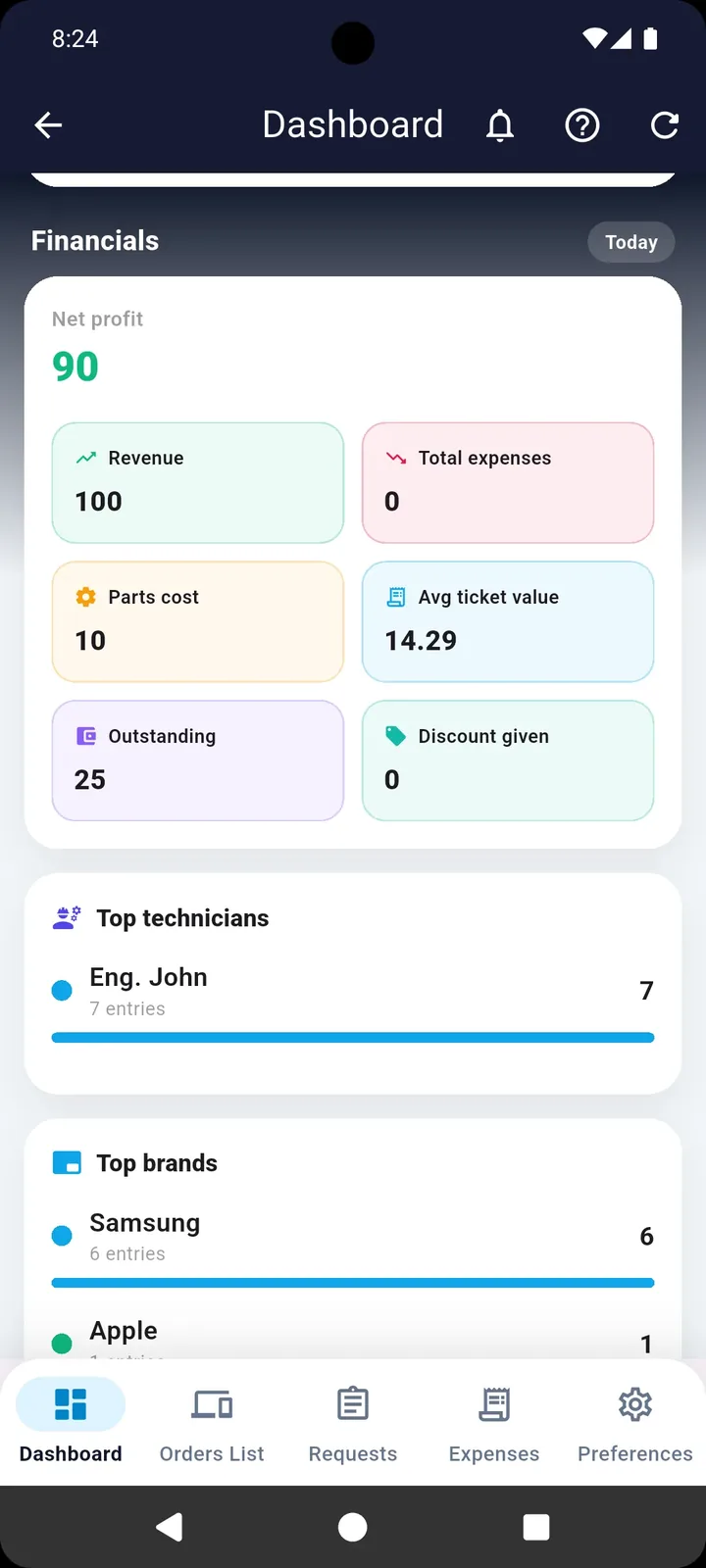
Revenue, parts cost, expenses, discounts, outstanding balances, average order value and net profit — calculated for any period you pick.
Receipts and flexible printing
Intake and delivery receipts on A4 or on 80mm and 58mm thermal rolls, over Bluetooth or a network printer, or shared with the customer as a PDF.
Users and permissions
Add your technicians and managers with precise roles and permissions, so each technician sees only their own work and the sensitive numbers stay with you.
From intake to handover — with no paperwork
Every stage has its own screen, its own record and its own notification, so no device slips between the cracks.
Your customer follows their device — with a QR code
No more repeated calls asking where the device has got to. Every intake receipt carries a QR code for that device, and the customer scans it whenever they want to see the latest status.

This code downloads the app. The customer's code is printed on their receipt.
- Received
- Being repaired
- Final check
- Ready for pickup
Know where your workshop stands in one second
Open the app and you immediately see how many devices are in the shop, how many are waiting on parts, and which ones are late — before the customer calls to ask.
- Live cards per state: awaiting repair, inspection, parts, approval, delivery
- Alerts for late devices and for anything older than 7, 14 or 30 days
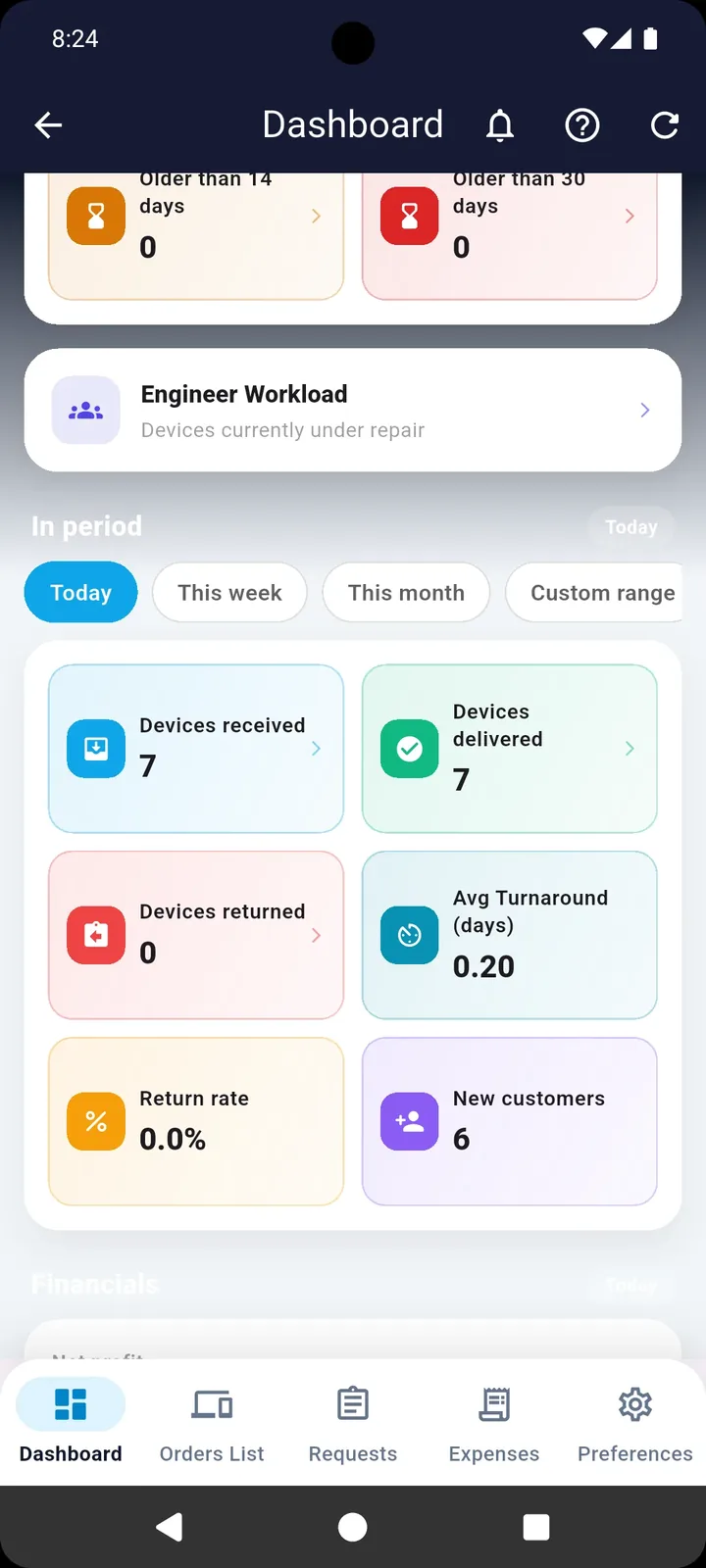
- Period metrics: received, delivered, returned, return rate, average turnaround, new customers
- Filter by today, this week, this month or a custom range
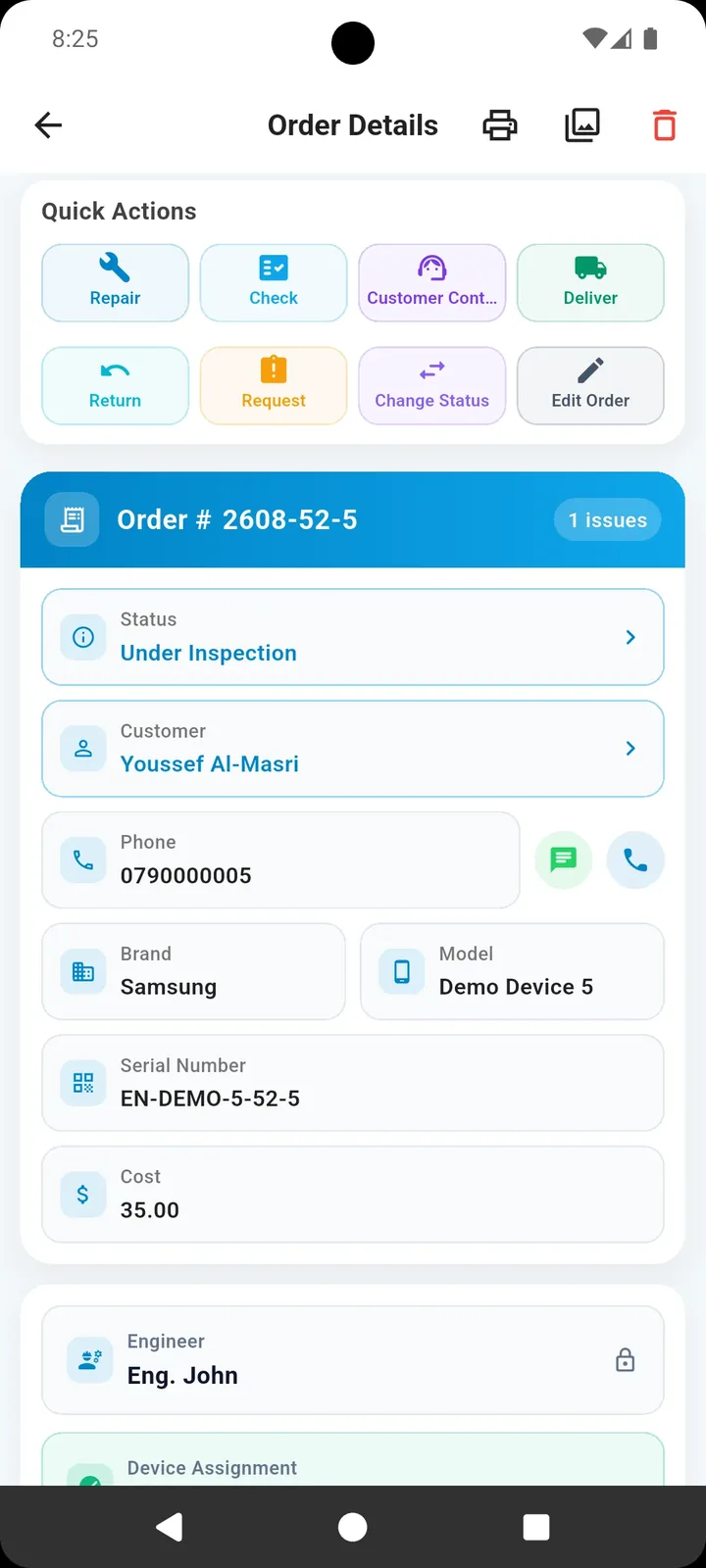
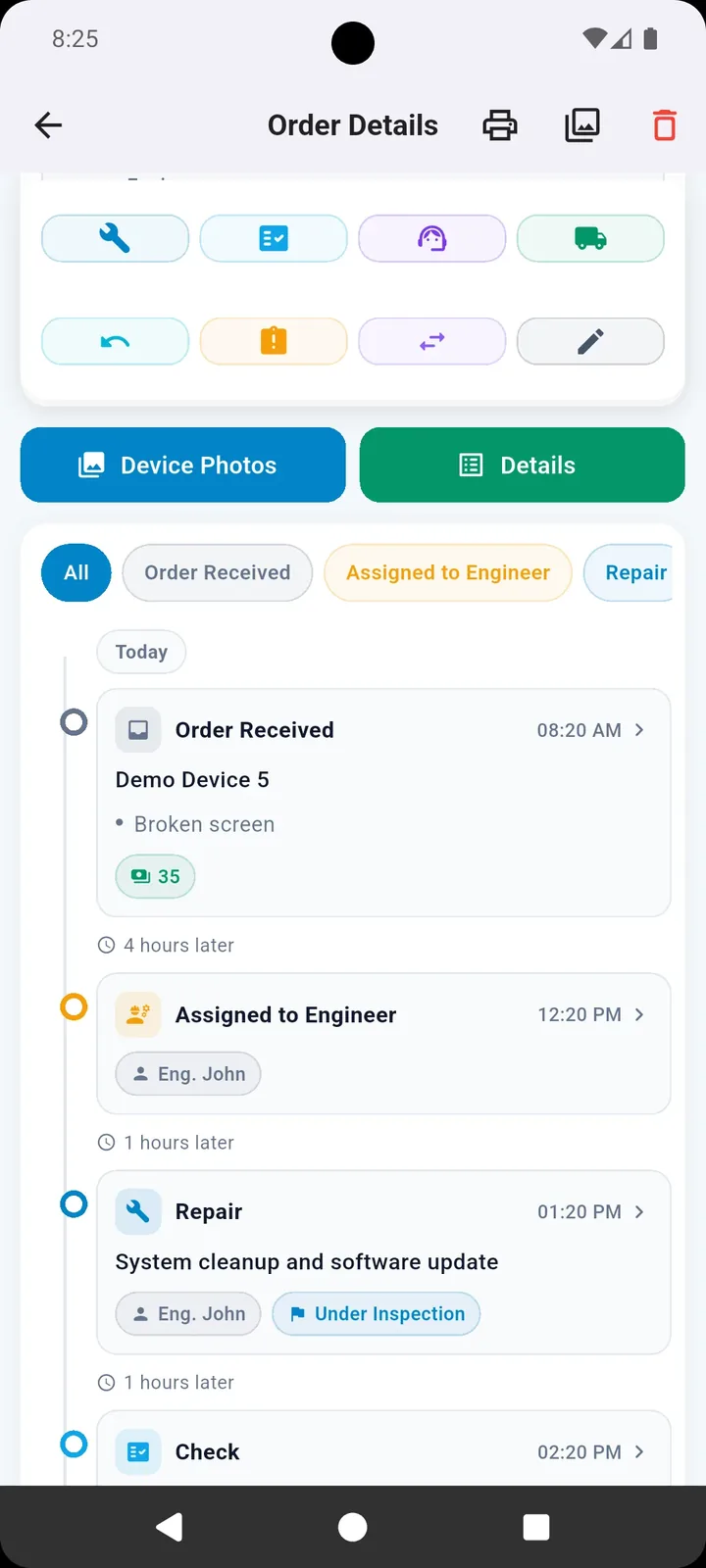
Every device with a full file and a timeline
No more asking who took this device and where it got to. Open a device and you see its whole story in order, with the actions you need right there.
- Quick actions: repair, inspect, deliver, return, change status, contact the customer
- A timeline of every action with time, technician, note and cost
- Device photos before and after, attached to each stage
- Call or message the customer straight from the device file
Revenue, parts and expenses — under control
Profit is not just what landed in the drawer. The app subtracts parts cost and expenses to show the real number, and tells you where it came from.
- Net profit = revenue − parts cost − expenses
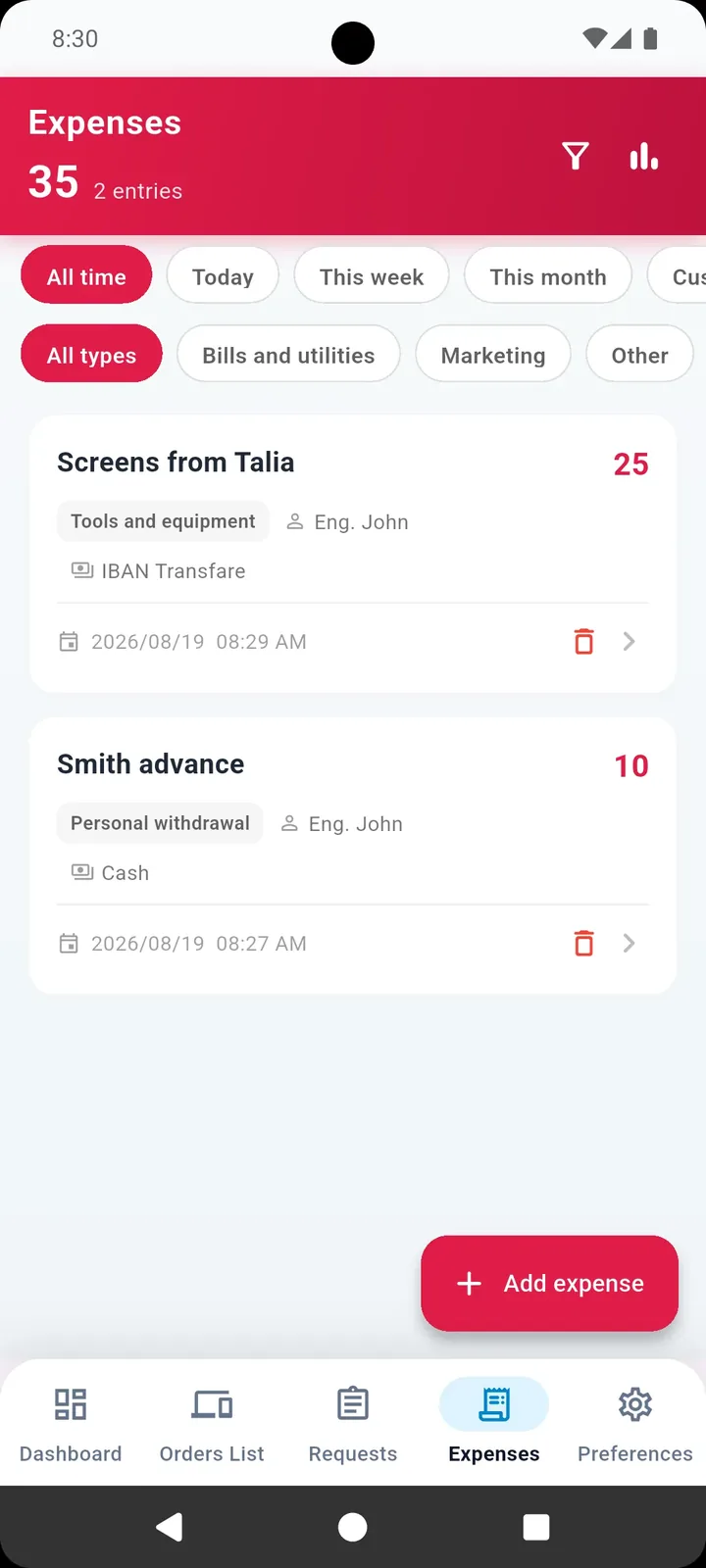
- Log expenses by type: parts, tools, rent, marketing, advances
- Link an expense to a specific device or technician to see the true cost per job
- Your most productive technicians and the brands that come in most
More screens from inside the app
Tap any image to enlarge it, then move between screens with the arrows.
Small details that change your day
Try it free for 7 days before you decide
A trial from sign-up
The 7-day free trial starts as soon as you create your account, and you try every feature on your own workshop's real devices.
A clear price before you subscribe
The price shows inside the app and on Google Play in your local currency, with no hidden fees outside the store.
Your data is not lost
If the subscription ends, the account becomes read-only, so your devices and records stay in front of you and you can pick up whenever you like.
What workshop owners ask before starting
Download the Edaraat app from Google Play, or open the web app straight from your browser at app.edaraat.com, and take in your first device within minutes. The iPhone version is coming soon.
You start with a free 7-day trial as soon as you register. After that the subscription goes through the store, and Google Play shows the price in your local currency before you subscribe. If a subscription lapses, the account becomes read-only and your data stays intact.
The intake receipt carries a QR code for that device. The customer scans it with their phone camera and sees the current status without calling the workshop.
Any device your workshop receives: phones, laptops, tablets, home appliances and more. Device types, brands and fault lists are fully customizable to match your workshop.
Yes. Print intake and delivery receipts on A4 or on 80mm and 58mm thermal rolls, over a Bluetooth or network printer, or share the receipt as a PDF file.
Yes. Add your technicians and managers with precise roles and permissions, so each technician sees only their own work while sensitive numbers stay with the owner.
Start organizing your workshop today
Download the app and start your 7-day free trial. Your first device is in within minutes.